 Keen
Get Keen
Best brain training apps for adults over 40
Choose a brain training app by the skill you want to practise, its pace and its payment terms. Compare the options below, try the free material first, and treat game scores as practice results rather than a medical assessment.
Disclosure: we make Keen, one of the apps below. Facts about the other apps come from their public store listings and websites, checked on 1 November 2026, and prices change by country. We give an honest drawback for every app, ours included.
What should you look for first?
- Pick by what you want to practise. Wide game sets, speed and attention, or everyday memory.
- Prices in the stores are not always clear. Several listings show many plan prices with no billing period, so check inside the app.
- Keen is on Google Play. Get it on Google Play for Android.
- No app can promise to prevent memory loss. These are practice, not medical tools.
What is a brain training app?
A brain training app is a set of short games and exercises you do on your phone to practise skills like memory and attention. It is practice, not a medical device, and it does not diagnose, treat or prevent any condition.
How did we compare the apps?
- Who it suits. Taken from each app's own store description.
- Price. Read from the public App Store (US) listing on 1 November 2026, linked in the table. When a listing does not say what a price covers, we say so.
- Drawback. One honest limit for each app, from the listing or from what we know of our own.
How do the apps compare?
| App | Best suited to | Price | Honest drawback |
|---|---|---|---|
| Lumosity | Wide game sets across memory, attention and problem solving. | App Store lists Premium at several prices from 11.99 US dollars to 89.00 US dollars; billing periods are not shown there | The store shows many different Premium prices, so you cannot tell from the listing which plan you will get. Check the price inside the app. |
| BrainHQ | Exercises for speed, attention and memory. | 13.99 US dollars per month or 94.99 US dollars per year (US App Store) | The highest monthly price in this list. |
| Elevate | Short daily games for focus, memory, speaking, maths and reading comprehension. | App Store lists Elevate plans from 4.99 US dollars to 39.99 US dollars; billing periods are not shown there | It covers many skills, so memory is only part of it. The store does not show which plan costs what, so check inside the app. |
| Peak | Daily workouts for memory, attention, problem solving and mental agility. | App Store lists Peak Pro plans from 3.99 US dollars to 34.99 US dollars; billing periods are not shown there | Many plan prices are listed, so the real price depends on which offer you see. Check inside the app. |
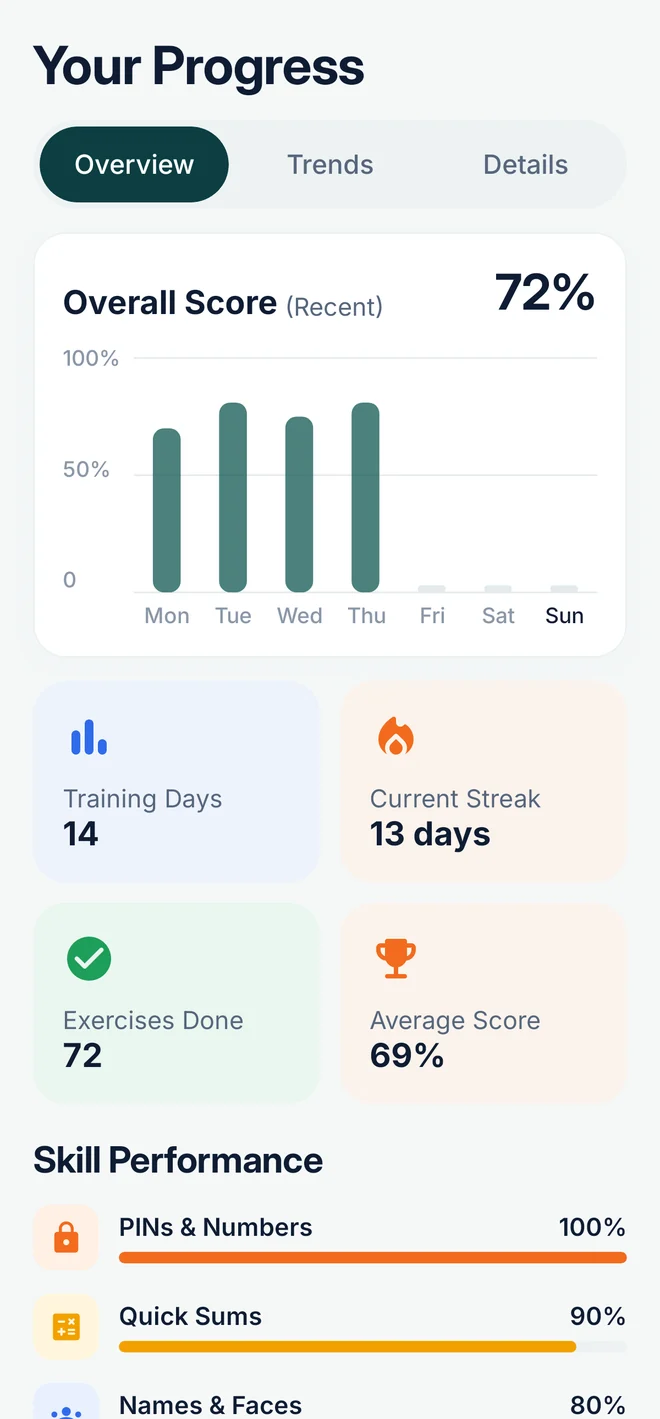
| Keen (ours) | Adults 40 and over who want everyday memory: names, shopping lists, PINs, what you read. | 7.99 US dollars per month, 39.99 US dollars per year (7-day free trial) or 99.99 US dollars once; the first day's plan is free with no card, then Premium is needed (Keen, our own price list) | It is Android only, and it only trains everyday memory and focus, not a wide range of skills. |
How do the main alternatives differ?
Lumosity vs Elevate
Lumosity suits someone who enjoys variety and a game feel: short puzzle-style games with scores, touching memory, attention and problem solving. Elevate suits someone who would rather work on words, reading and everyday maths, in a short daily session tied to communication skills. The main difference is the subject. Lumosity moves between shapes, patterns and logic; Elevate stays close to language and number work you might use at work or at home. On price, the Lumosity listing runs from 11.99 US dollars to 89.00 US dollars and Elevate from 4.99 US dollars to 39.99 US dollars, but neither store says what each price covers, so the two cannot be compared like for like.
Lumosity vs BrainHQ
Lumosity offers quick game rounds with a score at the end, across several skill areas. BrainHQ offers exercises that adapt to your level and concentrate on processing speed and attention. Choose Lumosity if you want to sample several skill areas and enjoy a bit of variety. Choose BrainHQ if you want to sit with one kind of task and push at it,. BrainHQ is also the easier one to price: 13.99 US dollars a month or 94.99 US dollars a year, the highest monthly figure in our table. Lumosity lists several Premium prices instead, so check inside the app.
Elevate vs Peak
Elevate suits someone who wants a small, clear set of skills: reading, writing, speaking, maths and focus, practised in a short daily session. Peak suits someone who wants a broader daily workout, with several short games across memory, attention, problem solving and mental agility. The main difference is depth against breadth. Elevate goes further into language and number work that feels close to daily life; Peak spreads its games wider, so a single skill gets less attention. Elevate's listing shows plans from 4.99 US dollars to 39.99 US dollars and Peak's shows Peak Pro from 3.99 US dollars to 34.99 US dollars, with no billing period shown for either, so check the price inside the app.
If you would rather pay once and be done, see a brain training app without a subscription.
Which app fits your needs?
- You want variety. Look at Lumosity, Elevate or Peak.
- You want speed and attention exercises. Look at BrainHQ.
- You want everyday memory for names, lists and PINs. Keen is built for that.
- You want to pay nothing first. Try the free memory test and the printable memory exercises on this site.
Questions
What is the best brain training app for adults?
It depends on what you want to practise. Lumosity, Elevate and Peak offer wide game sets, BrainHQ focuses on speed and attention exercises, and Keen focuses on everyday memory. We make Keen, so weigh our view with that in mind.
Are brain training apps free?
Some have a free version or a free trial, but the full set usually needs a paid plan. Check the price inside the store listing before you subscribe, as it changes by country.
Are brain training apps worth paying for?
It depends on what you want from them. Game scores tend to rise with practice, but what matters is whether everyday things get easier: names, lists, numbers. Before you pay, check what the app practises, whether it has a free trial, and whether you can cancel easily. Keen's yearly plan starts with a 7-day free trial through Google Play.
Is Lumosity or Elevate cheaper?
Neither is clearly cheaper. We read the US App Store listings on 1 November 2026: Lumosity lists Premium at several prices from 11.99 US dollars to 89.00 US dollars, and Elevate lists plans from 4.99 US dollars to 39.99 US dollars. Neither listing shows what each price covers, so check the price inside the app before you pay.
Which app is made for everyday memory, like names and lists?
Keen is built for adults 40 and over who want practice for everyday memory: names, shopping lists, PINs and where you put things, with an untimed relaxed mode. It is Android only, and Premium is needed after the first day. We make Keen, so weigh our view with that in mind.
Can brain training apps prevent dementia or memory loss?
No app can promise that, and Keen makes no health claims. If memory problems affect your daily life, talk to a doctor.
Is Keen on Google Play yet?
Yes. Get Keen on Google Play. It runs on Android 8 or newer.
Related
- Free memory test (3 minutes, not a medical test)
- Memory exercises for adults
- How to remember names
- An app to remember names and faces
- A Lumosity alternative for adults 40+
- A brain training app without a subscription (pay once, no ads)
- Critical thinking games for adults
- Where did I put it?
- How to remember dates and numbers
Try Keen
Keen is on Google Play for Android phones and tablets running Android 8 or newer.